
Safely Protection Program
Policies and Cost
| Contents and Dwelling Coverage | Cost per Night |
| $1,500 | $8.25 |
| $5,000 | $11.00 |
| $10,000 | $12.50 |
| $25,000 | $13.75 |
- $100,000 Limited Liability add $0.38 per night
- $500,000 Limited Liability add $1.30 per night
| $100,000 Limited Liability + Contents & Dwelling Coverage | Cost per Night |
| $100K Limited Liability plus $1,500 Contents & Dwelling | $8.63 |
| $100K Limited Liability plus $5,000 Contents & Dwelling | $11.38 |
| $100K Limited Liability plus $10,000 Contents & Dwelling | $12.88 |
| $100K Limited Liability plus $25,000 Contents & Dwelling | $14.13 |
Deductible: All programs have a $0 deductible.
| $500,000 Limited Liability + Contents & Dwelling Coverage | Cost per Night |
| $500K Limited Liability plus $1,500 Contents & Dwelling | $9.55 |
| $500K Limited Liability plus $5,000 Contents & Dwelling | $12.30 |
| $500K Limited Liability plus $10,000 Contents & Dwelling | $13.80 |
| $500K Limited Liability plus $25,000 Contents & Dwelling | $15.05 |
Invoicing
iGMS will send you an invoice each month for covered reservations that departed the prior month. This invoice is separate from the invoice you receive for your monthly iGMS subscription. You will not be charged for reservations canceled before the stay begins. Alterations to reservation dates will be automatically adjusted.
What does the insurance cover?
Claims are subject to the terms and conditions of the policy. The following are highlights of what is covered.
- Guest-Caused Damage: The Safely Protection Program covers both intentional and accidental guest-caused damage to the enrolled rental property and its contents during the covered period.
- Pet Damage: The Safely Protection Program covers pet damage, minus any pet deposit or fee the property manager charged the guest. Liability related to pets, such as pet bites, is not covered.
- Excessive Cleaning:
- The policy covers excessive cleaning fees from cleaners when extraordinary measures need to be taken, such as stains on carpets and rugs, markings on walls (e.g., a child scribbling on a wall with crayons), biohazardous materials left in the home (vomit, fecal matter, blood, etc.) or cleaning up glass from a broken window, etc.
- The policy does not cover things like dirty dishes in the sink/dishwasher, towels on the floor, full garbage bins, or food left in the fridge as these do not constitute actual damage and are considered part of doing business.
- Smoke Remediation: Excessive cleaning requiring a third party to remediate smoke from inhalants (such as tobacco) in your home above the normal cost of doing business is covered. This is only applicable to homes where smoking is not allowed.
- Homeowner’s Stolen Property: The loss may be covered under the policy if the theft was committed by the guest or the guest was involved in the theft. Otherwise, the theft may be covered under the regular homeowner’s policy because the theft is not due to the guest. All theft claims require a police report.
- Items Covered up to $200.00: Money, banknote, bullion, gold other than goldware, silver other than silverware, platinum other than platinum-ware, coins, medals, smart cards.
- Items covered up to $2,500 or the Policy Contents Limit, whichever is lower:
- Securities, accounts, deeds, evidences of debt, letters of credit, notes other than bank notes, manuscripts, personal records, passports, tickets, and stamps
- Watercraft
- Trailers
- Theft or damage of jewelry, watches, furs precious and semiprecious stones, artwork
- Theft or damage of firearms
- Theft or damage of silverware, goldware, platinum-ware
- Limited Liability (Optional Add-On): Safely’s policy covers the property manager for guest-related liability.
- Full limit of coverage with every reservation
- Protection against a personal injury lawsuit
- Immediate contact with the guest by Safely’s claims specialist
- Safely provide $1,000 in “Med Pay”
Med Pay is non-liability coverage that Safely provides to help the guest offset out-of-pocket expenses as the result of an injury. It does not require liability on the part of the property manager.
- Legal and investigative resources
- Liability for guest-caused damage to adjoining properties
- Homeowner Liability Benefit: Coverage for liability related to guest damage, legal resources and Med Pay settlement to the guest.
What is excluded/not covered?
- Bodily Injury (unless liability coverage is added)
- Damages not reported within the 60-day reporting period
- Home for personal use
- The resulting damage of toilet back-ups
- Damage outside of the rental period
- Wear and tear or maintenance/neglect
- Registered motor vehicles
- Mysterious Disappearance
- Fees and Fines: The policy does not cover fees assessed by HOAs or Authorities, late checkout fees, etc.
- Damage caused by acts of nature
- Loss of income
- Formal Events (example: wedding)
- Properties with Aluminum Wiring: Aluminum wiring is not up to building codes and if the connections to switches and outlets have not been checked by an electrician, there is the danger of a fire putting the guest at risk related to homeowner negligence.
- Squatters (Post-Reservation): The policy covers damage during the insured rental period but does not have coverage for squatters who stay and refuse to vacate following the end of the rental period.
Enrolling in the Safely Protection Program
Enrolling in the Safely Protection Program is a straightforward process conducted directly through iGMS, and activation typically takes just one business day upon receipt of all necessary information.
To sign up for Safely Damage Protection in iGMS:
- Navigate to your “Properties” tab.
- Click one of your properties you would like to activate coverage for.
- Scroll all the way to the bottom of the page.
- In the section that states “This property is not insured by Safely,” click More Information.

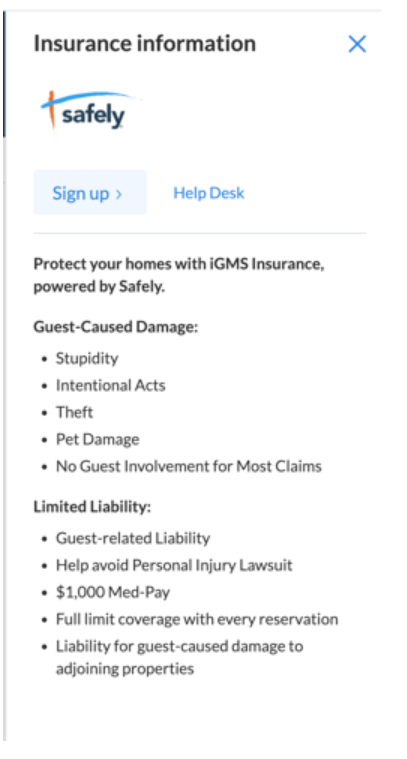
- In the Insurance Information – Safely box, click Sign up.
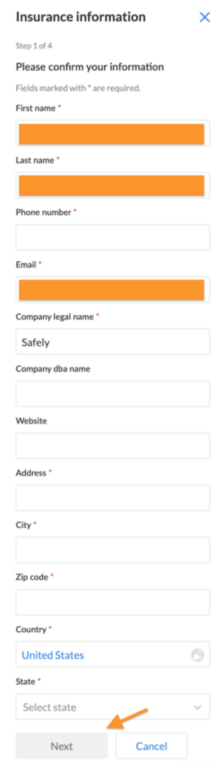
Step 1 of 4 – Confirm Your Information
- Complete all the required account information., then click Next
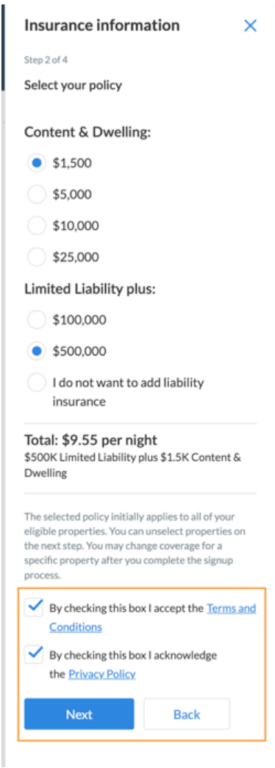
Step 2 of 4 – Select Your Policy
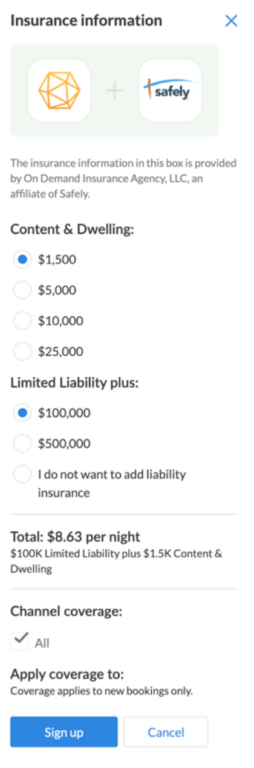
- Select the policy for the property being covered. Options include Dwelling & Contents and Liability (optional).
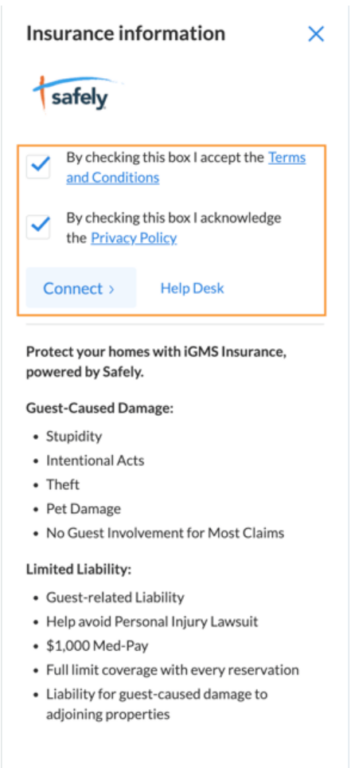
- Confirm acceptance of Terms and Conditions and Privacy Policy by checking the boxes.
- Click Next
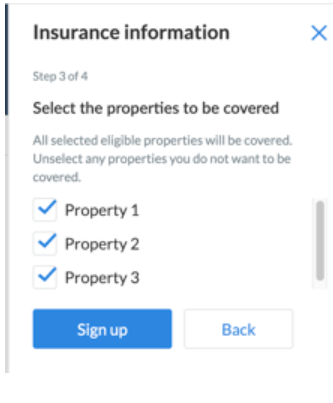
Step 3 of 4 – Select Properties To Be Covered
- Confirm that all covered properties have a check mark.
- Click Sign Up
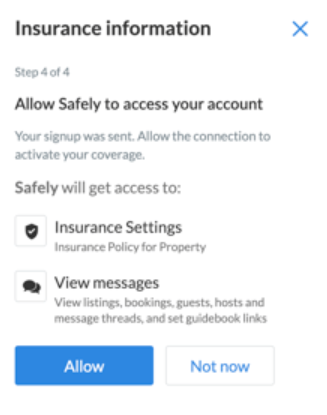
Step 4 of 4 – Allow Safely to Access Your Account
- Click Allow to confirm account access.
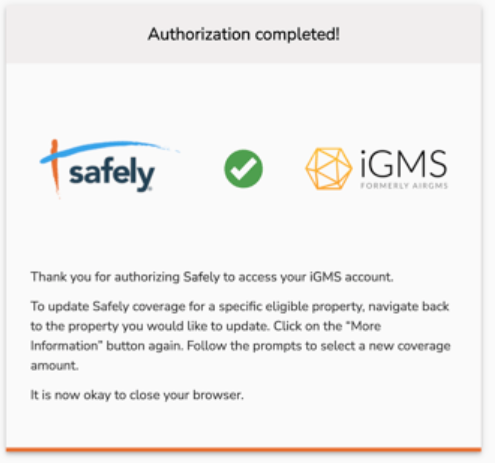
- Once complete, you will see a message confirming authorization is complete. It is okay to close this tab.
Confirm Coverage
To confirm coverage for the active homes, go to each property and scroll to the bottom of the page. There will be a message confirming the coverage and the coverage amounts.
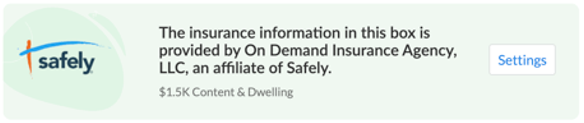
Coverage is activated the day following the date coverage is requested (“Activation Date”).
All new bookings from the Activation Date forward are covered.
Only the properties requested during the sign up process will have coverage. Coverage can be added to new and additional properties individually in each property listing.
Coverage is applied to all booking channels.
To update coverage or add coverage to a new or uncovered property:
- Go to the property and scroll to the bottom of the page.
- Click More Information

- Confirm acceptance of Terms and Conditions and Privacy Policy by checking the boxes.
- Click Connect
- Select policy and click Sign up.
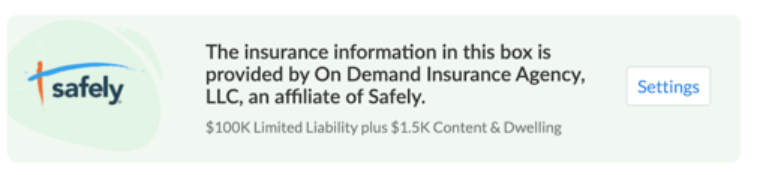
- The new policy will show in the property listing.
Claims: Submitting and Managing Claims
Completing a claim requires just 5 minutes once you have gathered all necessary photos and invoices/receipts. Claims must be submitted within 60 days from the departure date. If you do not have all the required information, initiating a claim as a “Draft” is encouraged as soon as possible so you do not miss the 60-day filing period and so that the Safely Claims team can offer support.
For detailed instructions on filing a claim, please visit Safely’s knowledge base: https://hello.safely.com/support-center/how-to-submit-a-claim-IGMS/
The “file a claim” link is only active for reservations that are:
- Past the departure date.
- Have a departure date that is still within the 60-day filing deadline.
Your reservation may show as not covered if:
- The rental property is not enrolled.
- The reservation is a non-commercial booking such as an Owner Reservation or a Maintenance Block
Claim best practices:
- Submit claims within 60 days of the departure date: Safely is unable to review claims submitted after the 60-day deadline.
- Save as a Draft: Sometimes it may take longer to gather the information needed to submit a claim. If you are not ready to submit immediately, you should save the claim as a draft. The time stamp for the draft claim will preserve the filing date requirement if it is not more than 60 days after the departure date.
- Submit invoices or estimates that add up to the claimed amount.
- Take great photos: Photos tell the story. It is best to include a close-up of the damage, the entire object and the object in the room.
- Obtain a police report for stolen items.
For questions about your claim, please email concierge@safely.com.
Canceling Safely Protection
Should you wish to terminate the Safely Protection program, you can click the “Disconnect” button for a particular property in your iGMS account.
Upon cancellation, any upcoming reservations will no longer be covered by the protection policy. However, reservations that have either checked out or are currently in progress, and for which the premium has been paid, will remain covered by the policy.
Website: www.Safely.com/igms/
Contact: Concierge@Safely.com